Self-directed project
2022
VirtualBuddy
A study-together platform concept for students to connect, share materials and encourage each other, without tipping into prescribing how someone should feel.
- Role
- UI Designer
- Timeline
- End-to-end · 2022
- Disciplines
- Interaction Design, Product Design, Design Systems
- Tools
- UsabilityHub, Figma, Canva, Vectornator, Lucidchart, Pen & paper
At a glance
- The problem
- Students needed a straightforward way to find and connect with peers studying the same subject and to share study material, in a product that supports rather than prescribes a positive outlook.
- My role
- UI designer: task flows, wireframes, the visual system and prototype.
- What I did
- Wrote three user stories (creating a profile, finding and connecting with study partners, and sharing study material), and task flows for each; built low- to mid-fidelity wireframes on a 12-column grid; compared two mood-board directions before choosing a calmer, natural palette; built a full UI token system (colour, typography, iconography, imagery), and prototyped it across multiple screen sizes.
- What changed
- A complete, responsive UI system and prototype. A small, informal walkthrough with students on the Figma prototype confirmed the core flows worked as intended; it has not been built as a live product, and has not had a structured usability study.
Discover and define
VirtualBuddy is a study-together platform: a place for students to connect, find people studying the same or a related subject, and make study material available to each other. I chose it because I have always wanted to work on projects that foster an optimistic outlook without tipping into anything prescriptive; I'm an advocate for education, and this project let me explore that alongside my study skills.
That distinction (support, not prescription) is the boundary that shaped every decision after it. The product had to help students find each other and share material, and nothing about it was allowed to read as monitoring how someone felt or telling them how they should feel.
The three user stories
- As a new user, I want to create a profile, so that other students can find me.
- As a new user, I want to find and connect with students studying my subject (or a related one), so that we may collaborate.
- As a frequent user, I want to view and share articles, videos, images and other files, and write posts for other students to read, so that we can share knowledge.
Develop and deliver
Low- to mid-fidelity wireframes on a strict grid, then a full visual system.
Each user story became a task flow, landing page, sign up or sign in, study-profile setup, then the story-specific steps: selecting language and study location and connecting with others, or opening the information hub to view and share study material. I moved from low-fidelity wireframes to a mid-fidelity mockup on a 12-column grid (11pt gutter, 16pt margin, stretch type), chosen because a fluid grid keeps elements balanced and holds up when the design has to adapt to other screen sizes.
Two mood-board directions
| Direction | Why |
|---|---|
| Natural, calm palette, chosen | Reflects the target market's lifestyle and communicates the product's tone more clearly. |
| Bright, playful palette (not chosen | Better suited to entertainment products) music, games, comedy, than to a study tool. |
After an informal walkthrough of the screens with a small group of students (who tried the core flows on the prototype and confirmed the direction rather than surfacing major issues) I built the final UI in Figma and assembled UI kits (labels, navigation, colour, typography, imagery and iconography) then prototyped the navigation and produced design mockups across different screen sizes and break points, so the responsive behaviour was demonstrated rather than assumed.
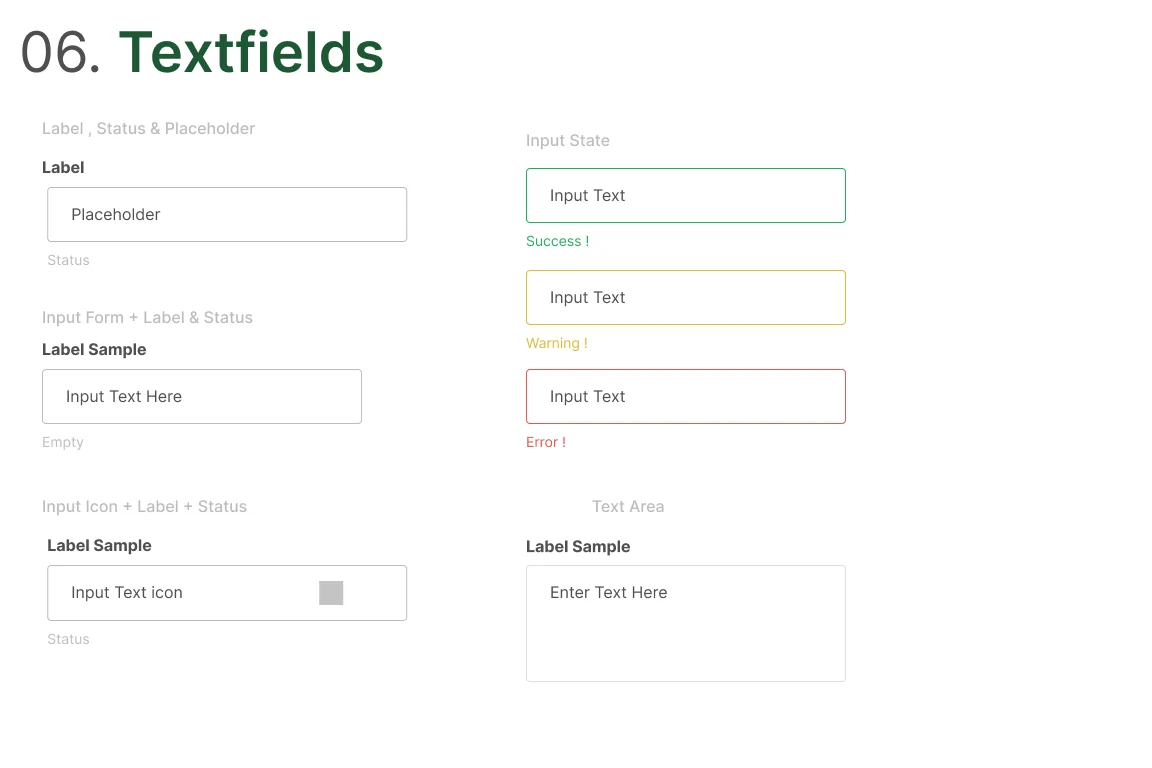
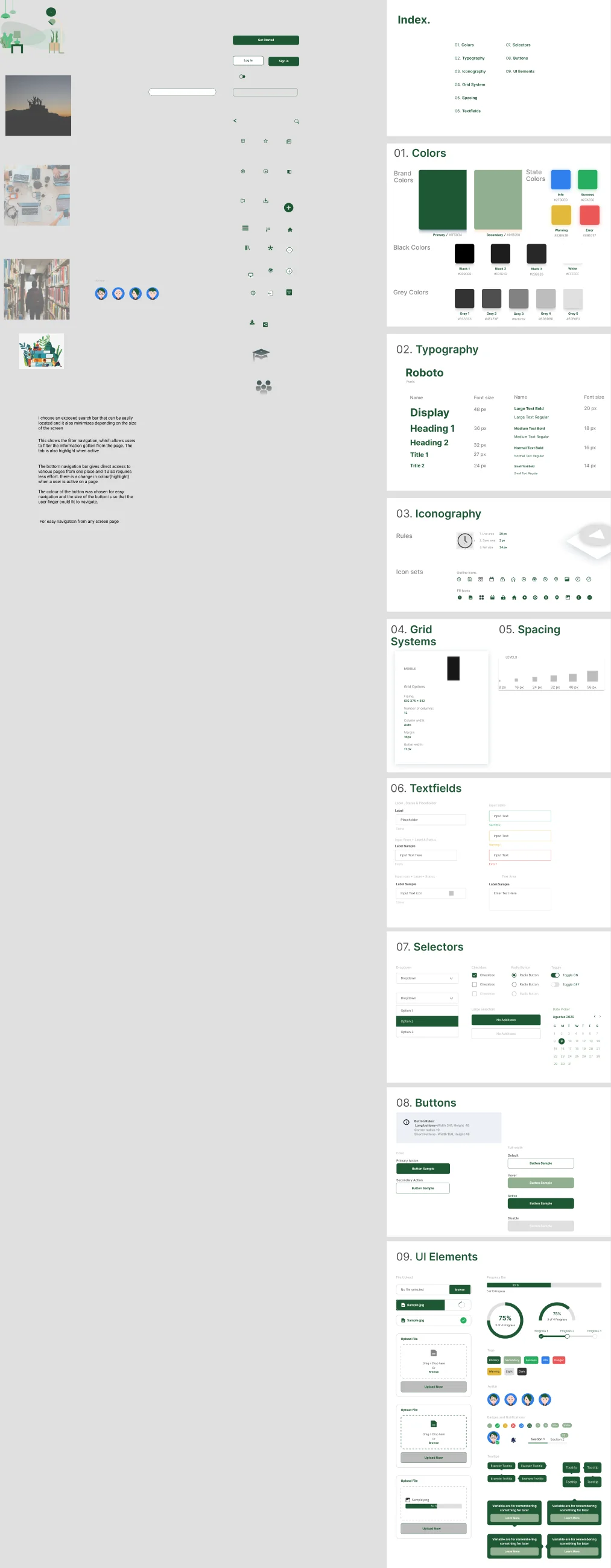
Nine sections under an index. Colours separate brand, state, black and grey ramps. Typography sets a Roboto scale from display down to title, each with a font size and a line height. Grid systems and spacing are specified as their own sections rather than left implicit. Text fields, selectors and buttons each carry their states. The last section collects assembled UI elements: upload areas, progress rings, tags, avatars and tooltips.
Where this stands
Scope, ethics and limits
What this is
- A UI design study for a study-together platform, built for everyday use by students.
- Grounded in the designer's own stated commitment to projects that support a positive outlook, rather than in user research for this particular project.
What this is not
- Not a mental health intervention, and not a substitute for professional support.
- Not a mood-tracking or assessment tool.
What is still unvalidated
- The task flows and personas: no interviews or surveys were run for this project; it moved from user stories directly into task flows, wireframes and UI.
- The interface itself beyond a small, informal walkthrough: a handful of students tried the core flows on the Figma prototype and confirmed the direction, but that is not a structured usability study, and the product has never been built.
- Whether the product would actually be used the way the task flows assume, beyond that small informal walkthrough.